

Chat modes
One chat, two places to put it.
Pick where Soniz opens in Settings under “Chat opens in.” The chat is the same in every mode: same models, same answers. What changes is where it sits and what it covers.
In page
Right under the question.
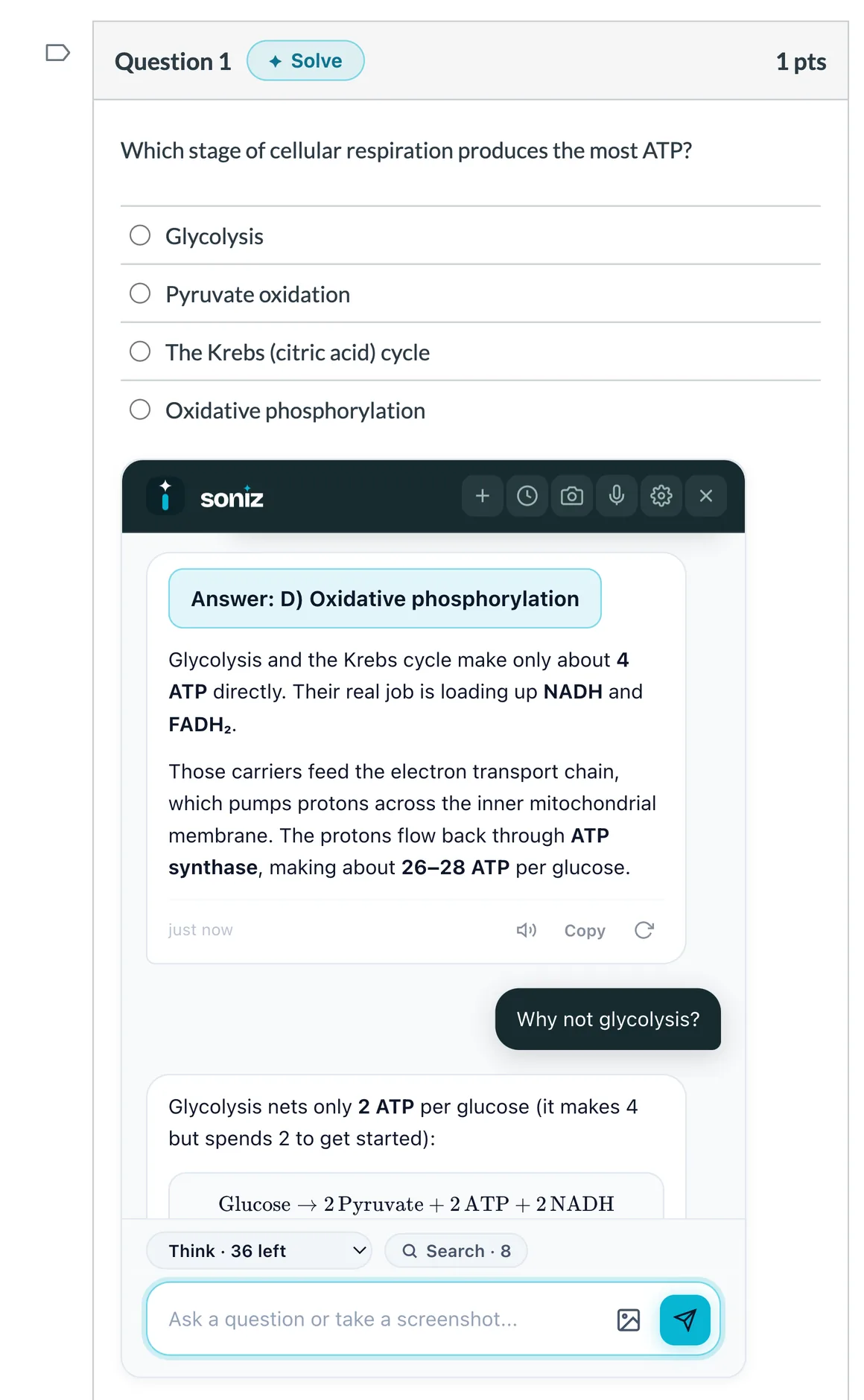
On a Canvas quiz, the chat opens inside the page, directly below the question you asked about.
Opens under the question you’re on Question and explanation in one view Moves to the next question you ask about Doesn’t cover the quiz Only on Canvas quizzes Can’t be dragged around
Popup
Floats where you want it.
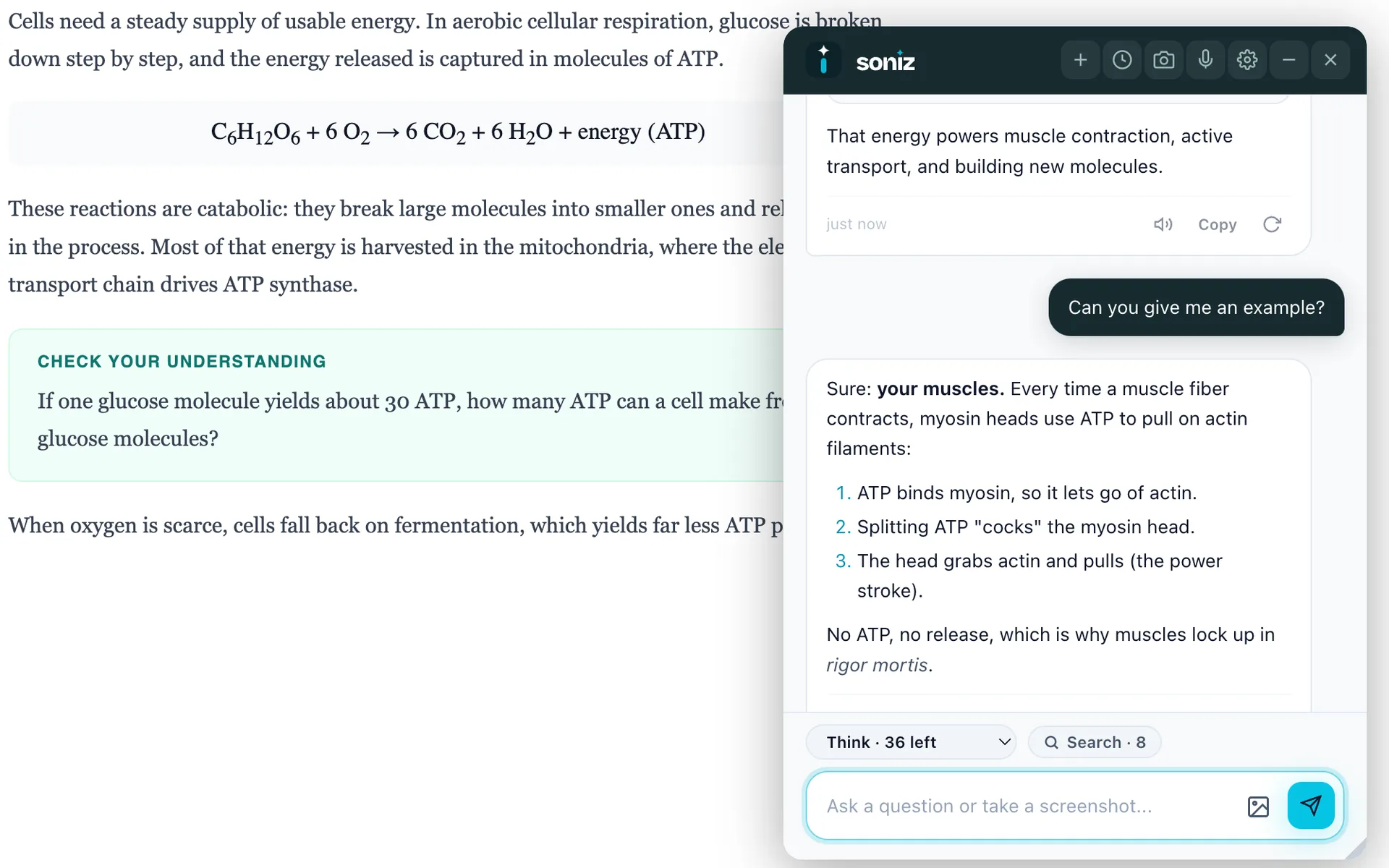
A small chat window on top of the page you’re reading. Drag it aside, close it, bring it back with a shortcut.
Works on any website Drag it anywhere on the page No switching tabs or windows Your chats on each site in History Covers part of the page Less room for long answers
In page works on Canvas quizzes, classic and New Quizzes, with Solve buttons turned on. Anywhere else it opens as a popup. Every mode is on every plan, including Free.
How to switch
Change it anytime.
Open Settings
Click the Soniz icon in your toolbar, or the gear in the chat.
Find “Chat opens in”
Pick Popup or In page. In page lights up on Canvas quizzes.
Ask as usual
Highlight, snip, Solve or the shortcut. The chat opens where you picked.